Review requests
Automatic Google review requests for contractors
Submit the finished job and Mitch texts your customer a Google review link 24 to 72 hours later. When reviews come in, Mitch drafts a reply to each one. You never have to remember to ask.
You finish a furnace install, the homeowner says it is the cleanest job anyone has done in the house, and you tell yourself you will ask for a review. Then the phone rings. By Friday you cannot remember which customer it was.
That is how most contractors end up with forty reviews, a few of them from 2022, and nothing since. Someone searching for an AC repair company reads the stars, then checks the dates. A page that stopped collecting reviews a year ago can look like a business that stopped working.
Why the ask never happens
Plenty of customers would write something if a link landed on their phone at a decent time. What kills it is the follow-up: remembering, finding their number, writing a text that does not sound like a form letter, doing it before the job goes cold.
And then there are the replies. A review sits for months with no answer, or you reply to one on a Saturday morning in a hurry and it reads like it.
How Mitch handles it
The request goes out on its own
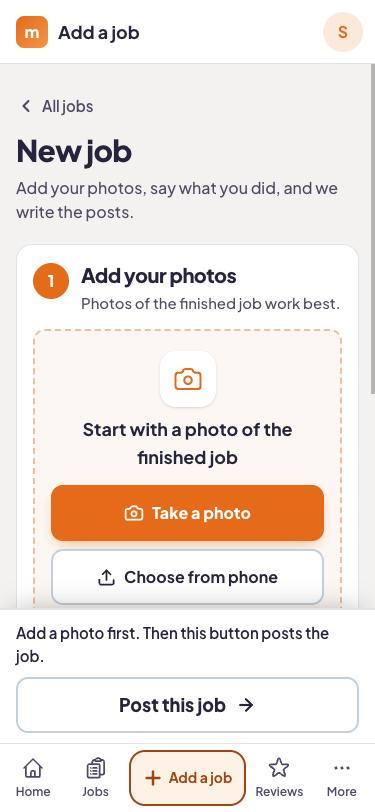
When you submit the finished job, add the customer's mobile number and tick the box to say they have agreed to be texted. Mitch waits 24 to 72 hours, then texts them a link that opens your Google review form. You do not schedule anything.
Every review gets a reply draft
When a review lands, Mitch writes a reply that mentions the job. Five stars or two, you see a draft, edit a line if you want, and approve it.
It uses the job you already entered
There is no separate review step to keep up. The phone number you add when you submit the job is what queues the text, and the same submission feeds your social posts and Google post.
What the text looks like
You do not have to write it. Here is the kind of message Mitch sends, so you know what your customers will see.
Example review request text
You can also make a review link yourself with the free review link generator, which is handy for a QR code on an invoice or a truck sticker.
Which plan includes it
Plan: On the Local and Complete plans
Review requests and AI-drafted review replies come with Local ($189 a month) and Complete ($449 a month). Social ($99 a month) does not include them. Every plan starts with 14 days free and no card.
- Job board + photo submission from your phone
- Posts to Facebook and Instagram (posts, stories, reels)
- Content calendar
- Custom branded app for the crew
- 3 user seats
- Everything in Social
- Google Business Profile management and posts
- Automatic review requests after every job
- AI-drafted replies to every review
- Comments and messages inbox for your socials
- 5 user seats
- Everything in Local
- On-page website SEO fixes
- WordPress plugin
- A new blog page every week
- Local rank tracking
- 10 user seats
Every plan starts with 14 days free, no card needed. Month to month, cancel any time.
A worked example
Say Marcus runs a two-truck heating and cooling company outside Tulsa. His tech finishes a furnace replacement for a customer named Dana and sends the job in from the truck with a voice note: "Replaced a 20-year-old furnace, new thermostat, cleaned the return."
Marcus adds Dana's mobile number and ticks the box to say she has agreed to be texted. Between 24 and 72 hours after the job, Dana gets a text like the one above, with a link to the Google review form. If she writes a review, Mitch drafts a reply that mentions the furnace, and Marcus edits it if he wants and approves it.
What Mitch will not do
It will not buy reviews, write fake ones, or text a customer who has not agreed to it. It also cannot promise a certain number of reviews. How many people respond depends on your customers and your work.
If you want the background on getting more reviews by hand, the reviews blog covers it. If the Google side of your presence needs attention too, the Google Business Profile page shows how the posts work.
Stop forgetting to ask
Send in one finished job on the free trial and see the review text Mitch queues. 14 days, no card.
Questions answered
When does the text go out?
Why does it wait a day or two?
Do I need the customer's permission?
Can Mitch post review replies without me seeing them?
What about a bad review?
Does it work with Yelp, Angi or Nextdoor?
Which plans include review requests?
Try it on your next job.
Start the trial, take a photo when you finish tomorrow's job, and see what Mitch does with it.