How it works
How getmitch works
You take the photo. Mitch writes the post. Here is what happens after you submit a finished job from your phone, and which plan does what.
From finished job to posted
Finish the job
Fix the leak, swap the panel, clear up. Nothing changes about the work.
Submit it
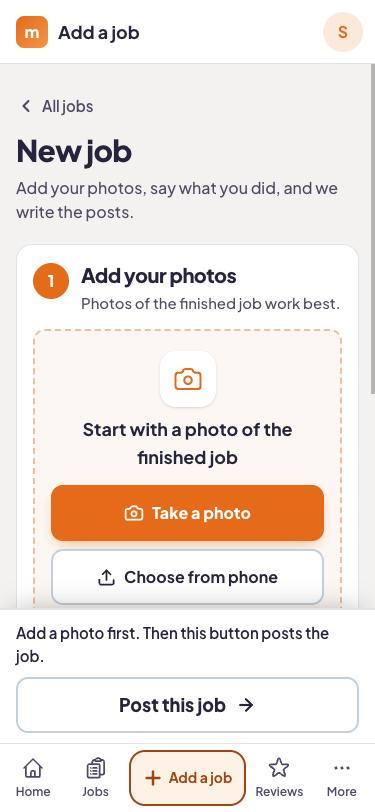
Open the app before you drive off. Add a photo or two, a line about the work (or say it out loud), and the customer's mobile number.
Mitch writes it up
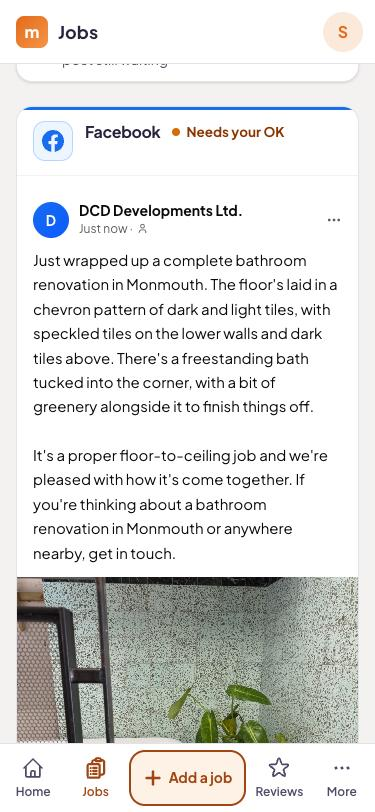
About a minute later it has picked the best photo, matched any before and after pairs, and written posts about that job in that town.
You approve, it goes out
Nothing posts until you tap yes. Edit or rewrite anything first. On Local and Complete the review text goes to the customer a day or two later.
What each step looks like
Submitting takes a couple of minutes
Photos straight from your camera roll, one line about what you did, and the customer's number. The job note can be dictated, which helps when your hands are covered in flux. Everyone on the crew gets the branded app, so whoever finished the job can submit it.
Posts about the job you actually did
Mitch reads your note, picks the strongest photo, and pairs up before and after shots when it finds them. The post names the job and the town, so it reads like your work.
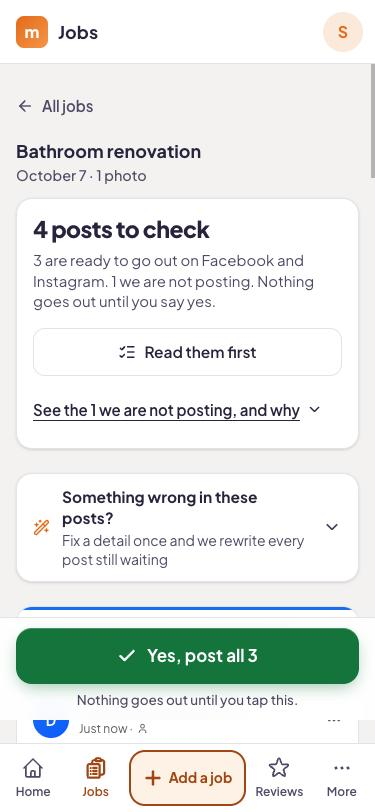
Nothing goes out without your yes
Every post waits for you on the content calendar. Open it on the laptop at night to see the week, change a line, or skip a post.
Replies to every review, on Local and Complete
When a review comes in, Mitch drafts a reply. You can edit it before it posts.
One inbox for comments and messages, on Local and Complete
When someone comments "how much for one of these?" under a post, you see it with the rest of your Facebook and Instagram messages in one place.
A job from start to finish
Say Dave at Hale Plumbing (an example business) swaps a 12-year-old water heater for a customer on Oak St in Columbus. Before he leaves he adds two photos, says "water heater swap, 50-gallon, hot water back by 2" into the app, and enters the homeowner's mobile. About a minute later there is a Facebook and Instagram post naming the job and Columbus, waiting for his yes. On Local, a Google post is ready too, and the review text goes to the homeowner a day or two later.
Your Google reviews sit next to your Yelp, Angi and BBB listings. Mitch's review text points to Google, so that is the profile it builds up.
What one job turns into, by plan
The submission is the same on every plan. What Mitch does with it depends on the plan.
- Social ($99 a month): Facebook and Instagram posts, stories and reels, a content calendar, the branded crew app, 3 seats.
- Local ($189 a month): everything in Social, plus Google Business Profile posts, a review request text 24 to 72 hours after the job, AI-drafted replies to every review, a comments and messages inbox, 5 seats.
- Complete ($449 a month): everything in Local, plus on-page SEO fixes, the WordPress plugin, a new blog page every week, local rank tracking, 10 seats.
Plan: Review texts need two things
The customer's mobile number and a consent checkbox, both entered when you submit the job. No number or no checkbox means no text goes out.
Try it on your next job
14 days free, no card needed. Submit a real job and see what Mitch writes.
Questions answered
Do I have to submit every job?
What if I forget to submit a job on the day?
Does it post the moment I submit?
Can I change what Mitch writes?
Try it on your next job.
Start the trial, take a photo when you finish tomorrow's job, and see what Mitch does with it.