How it works
How getmitch works
Finish the job, pull out your phone, send it in. A minute later there are posts waiting for your yes. This page walks through that, using a hot water swap in Western Sydney.
The short version
Finish the job
Nothing changes on site. Do the install, tidy up, pack the ute.
Send it in from the driveway
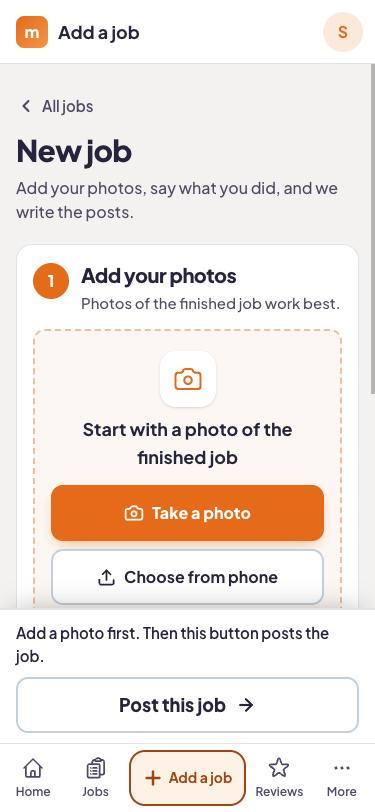
Open the app, add a photo or two, say or type one line about the work, and put in the customer's mobile.
Mitch drafts the posts
It chooses the strongest photo, pairs any before and after shots, and writes about that job in that suburb.
You say yes
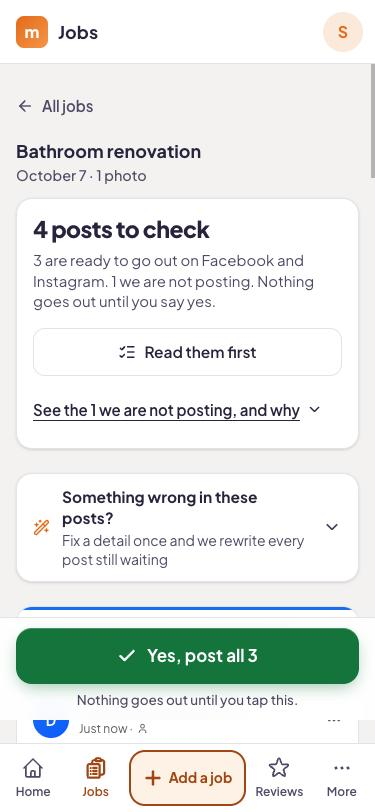
Nothing publishes until you approve it. Change a line first if you like. On Local and Complete, the customer's review text follows a day or two later.
What you actually do on your phone
A couple of minutes, tops
Photos come straight from your camera roll. The job note can be spoken, which suits a ute cab with greasy hands. Everyone on the crew has the app, so the apprentice who finished the job can send it in rather than you chasing photos on Sunday night.
Posts that name the job and the suburb
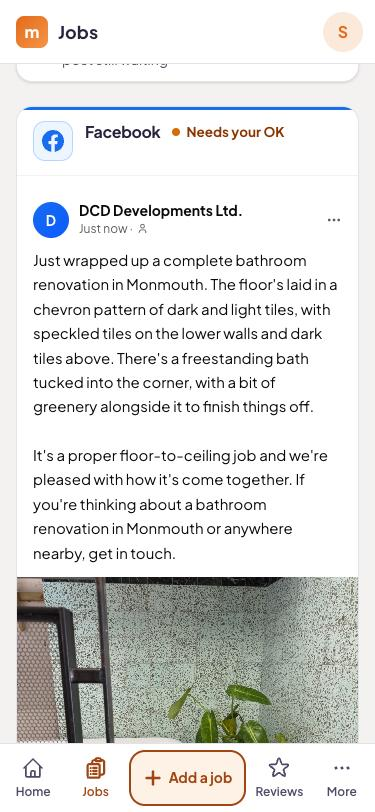
A post about "a hot water system in Parramatta" lands better with locals than "quality service you can trust". Mitch works from your note and photos, so the specifics come from you.
One calendar for everything
Approved posts sit on a content calendar. Open it on the couch to see the week, nudge a Facebook post to Saturday morning, or drop one.
Review replies, on Local and Complete
When a Google review comes in, Mitch drafts a reply and you edit or approve it.
One inbox, on Local and Complete
"How much for a split like that?" under a Facebook post ends up next to your Instagram messages, not buried in notifications.
One job, start to finish
Dave runs Bloggs Plumbing (an example business) out of Parramatta. On a Thursday he swaps a 12-year-old electric storage tank for a 250 litre unit at a house on George Street. Before he leaves he takes a shot of the old tank on the nature strip and one of the new unit with the tempering valve fitted, speaks "250 litre swap, old one was leaking at the base, hot water back on by two" and adds the owner's mobile.
About a minute later: a Facebook post, an Instagram post and a story, all mentioning Parramatta. On Local there is a Google Business Profile post too. Dave reads them in the ute, fixes one line, approves. The review text reaches the customer a day or two after that.
hipages, True Local, Oneflare and Yellow Pages each run their own review systems. Mitch's review text sends people to Google, so that is the profile it builds up.
What each plan does with that job
Sending a job in is the same on every plan. What comes out depends on what you pay.
- Social, A$129 a month: Facebook and Instagram posts, stories and reels, a content calendar, the crew app, 3 seats.
- Local, A$249 a month: Social plus Google Business Profile posts, a review text 24 to 72 hours after the job, AI-drafted replies to every review, a comments and messages inbox, 5 seats.
- Complete, A$579 a month: Local plus on-page SEO fixes, the WordPress plugin, a new blog page every week, local rank tracking, 10 seats.
Warning: Review texts and the Spam Act
In Australia a review request text counts as a commercial electronic message, so the customer has to have agreed to it first. Mitch needs the mobile number and a consent tick before it queues anything. The ACMA's Avoid sending spam page covers consent, identifying the sender and unsubscribe. General information, not legal advice.
Run your next job through it
14 days free, no card. Send in a real job and read what comes back.
Questions answered
Do I have to send in every job?
I forgot to send it in on the day. Does that matter?
Does it publish the second I hit submit?
Can I change what Mitch writes?
Do the review texts follow Australian spam rules?
Try it on your next job.
Start the trial, take a photo when you finish tomorrow's job, and see what Mitch does with it.